Cook with what you have
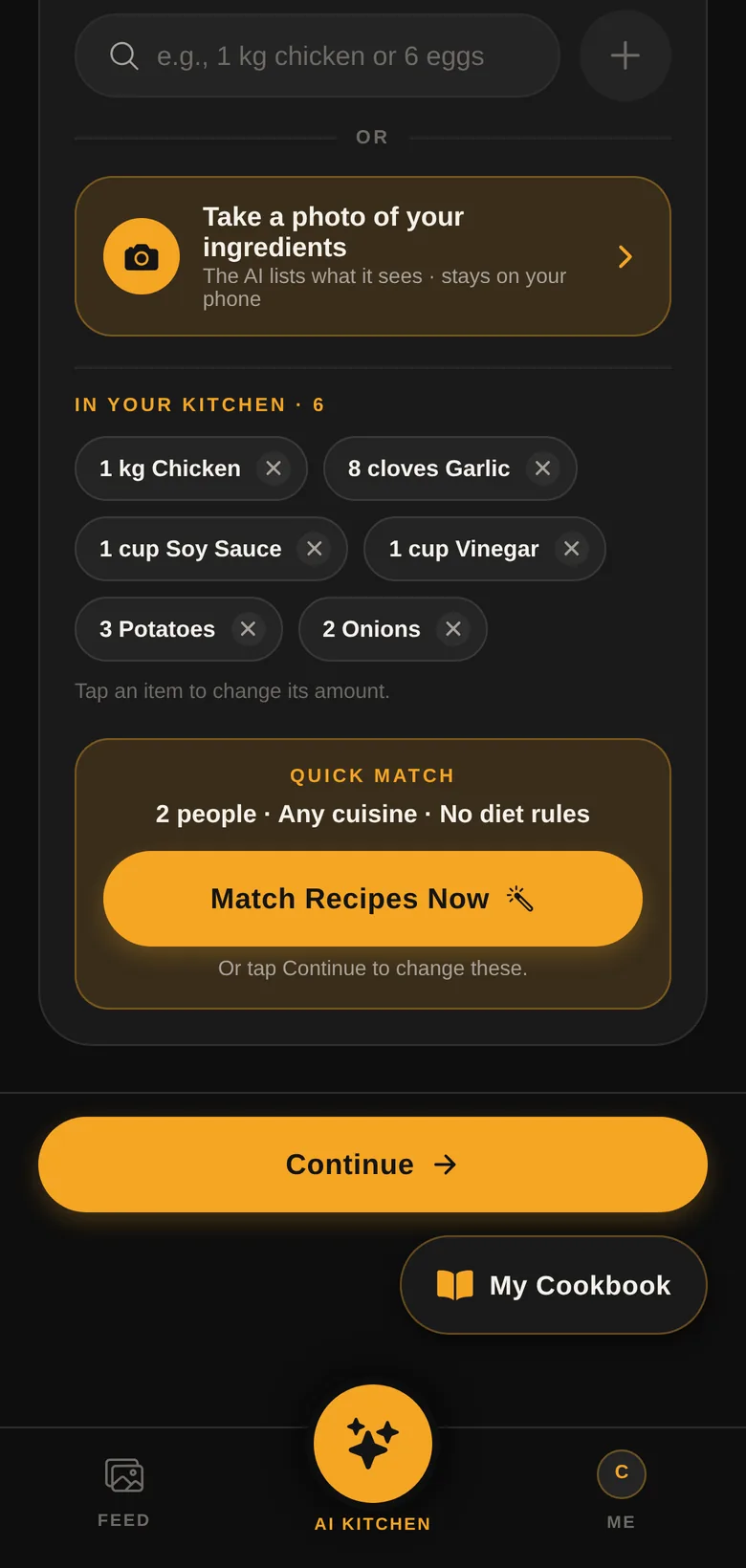
Type "1 kg chicken" or "6 eggs" and get recipes that use what's already in your kitchen, plus basic pantry staples.
AI Kitchen · Social Hub
Refrigenerate's AI chef runs right on your phone. Add your ingredients, and get real recipes that follow your diet, with clear steps from prep to plate.


Features
Less food wasted, less "what's for dinner?", more good meals at home.
Type "1 kg chicken" or "6 eggs" and get recipes that use what's already in your kitchen, plus basic pantry staples.
Take a photo and the Ingredient Scanner lists what it sees. The photo is analysed on your phone and never uploaded.
Halal, vegetarian, keto, low-sodium, diabetic-friendly and allergies such as peanut, shellfish and gluten: every recipe follows your rules.
Each step shows the heat, the oven or oil temperature in °C and °F, how to cut, and how to tell when it's ready.
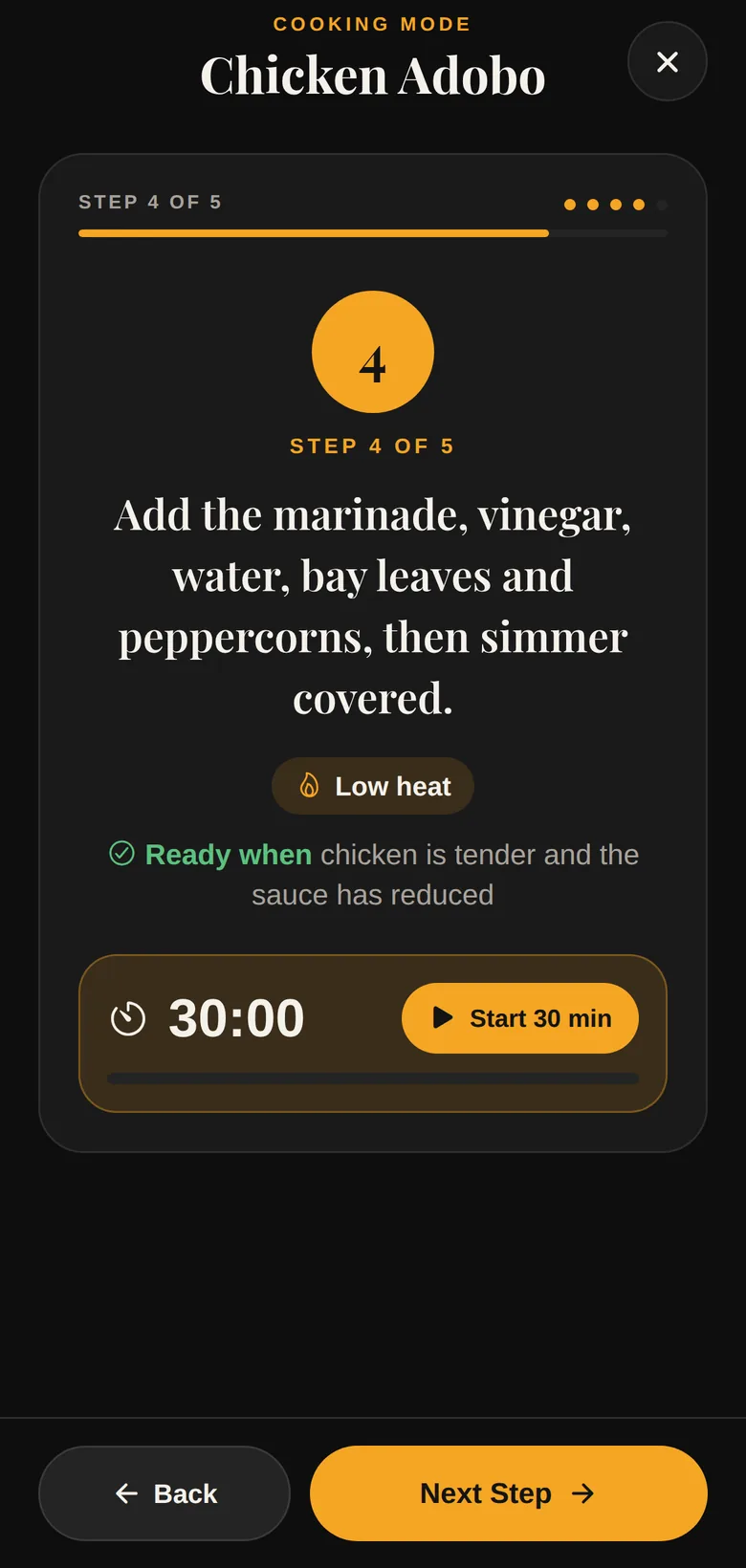
Cook one step at a time with built-in timers. When you finish, your kitchen list updates so you know what's left.
Built on a catalogue of 228 real dishes, including 125 Filipino and regional favourites, plus Japanese, Korean, Italian and more.
Share your dishes, follow other cooks, rate their food and climb from New Chef to Master Chef.
Lite mode turns off animations and stock photos to save data, memory and battery on older phones.
How it works
Type your ingredients or scan them with your camera. Returning cooks get recipes in one tap with Quick Match.
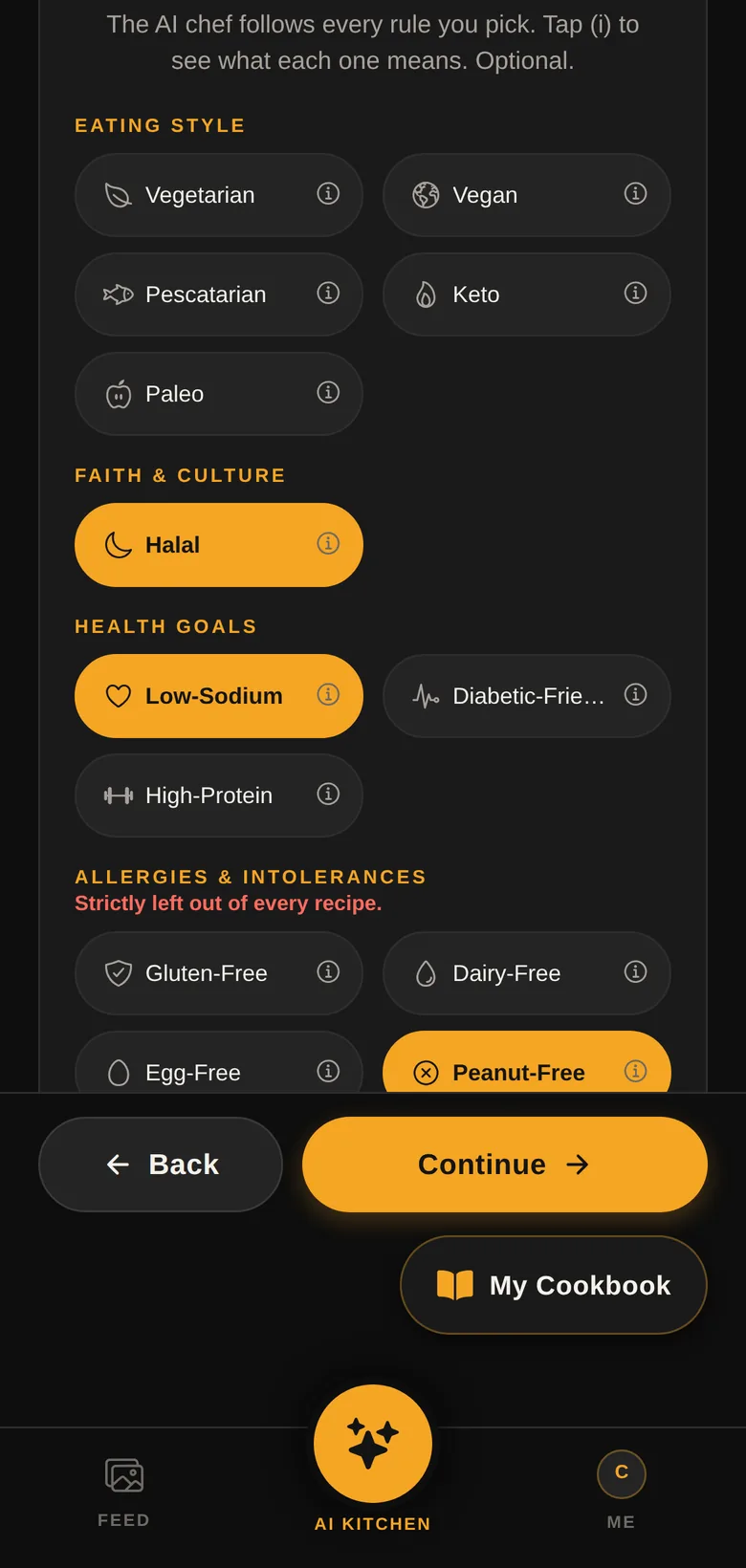
Choose Filipino, Korean, Japanese and more, and set dietary needs and allergies once.
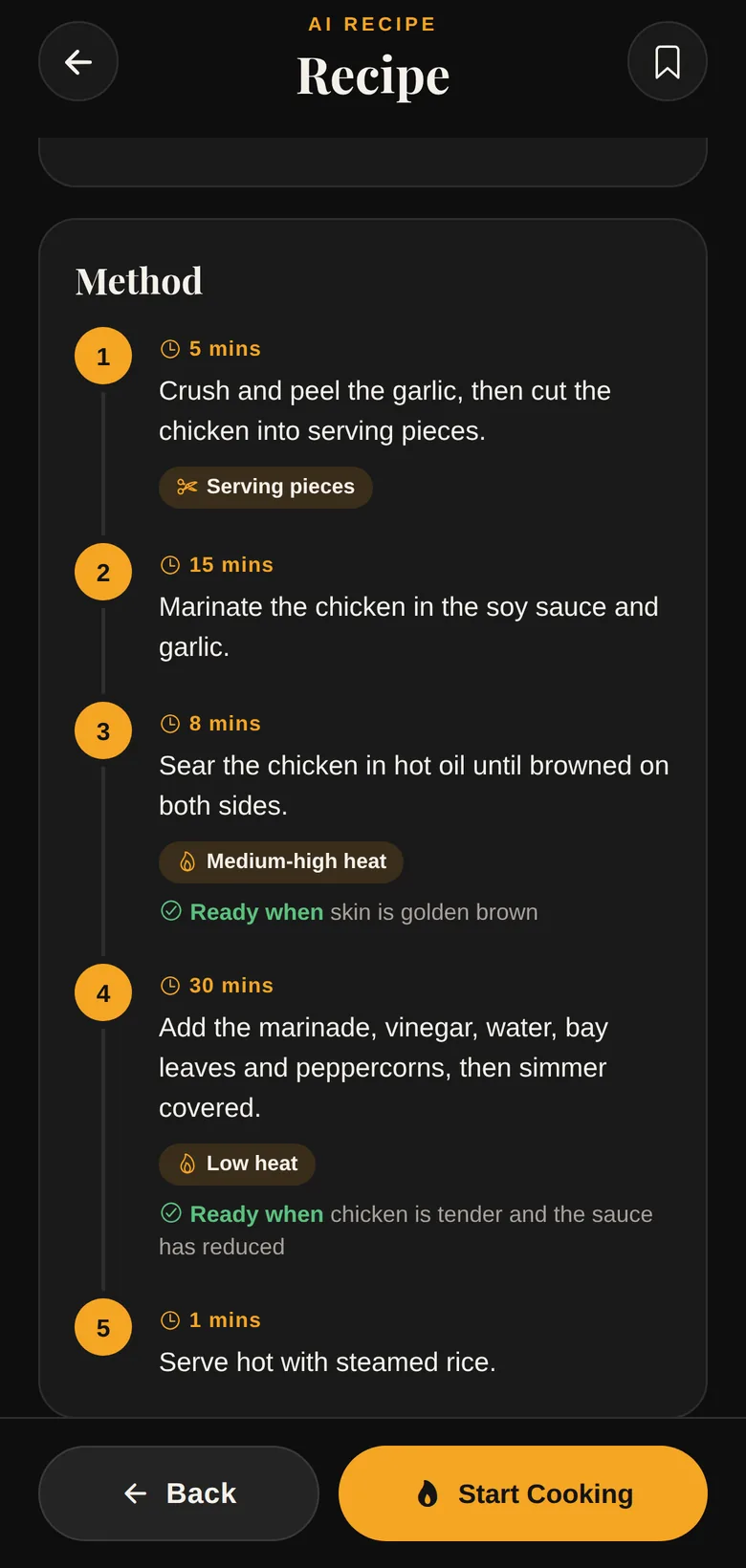
Get clear steps with times, heat, cuts and doneness cues, then follow along in Cooking mode.
Private by design
Community
Post photos of what you cook, follow cooks you like, and rate their dishes. Every rating builds a chef's reputation, from New Chef to Home Cook, Rising Chef, Trusted Chef and Master Chef. You'll get a notification when someone likes, comments on or rates your dish.
FAQ
Yes. Refrigenerate is free to download and use, with no ads.
Only to sign in, download the AI tools once, and use the community feed. After the one-time download, the AI chef creates recipes on your phone, even offline.
The Recipe Chef is about 0.7 GB. The Ingredient Scanner is optional and adds about 1.5 GB. Wi-Fi is recommended, and the app checks your storage and connection first.
iPhone and iPad, and Android 7.0 or newer. The on-device AI runs best on phones with at least 3 to 4 GB of memory; Lite mode helps on older phones.
Ingredient photos are analysed on your phone and never uploaded. Your ingredients, diet and allergies stay on your phone. Only what you choose to share, like dish photos and comments, goes to the community.
Yes, anytime, from Me → Delete Account in the app. You can also ask us by email. See "Delete your account" for details.
More questions? Visit Support.
Free on iPhone, iPad and Android.